
For Meta Quest 3 · Your own piano
Play the song you always wished you could. Tonight.
Glowing notes fall onto the real keys of your digital piano. Follow the light, and the music waits for you, note by note. No sheet music. No years of practice first.
Needs a Meta Quest 3 and an 88-key digital piano with USB MIDI. Check yours
Your piano, come alive
Every note finds its key.
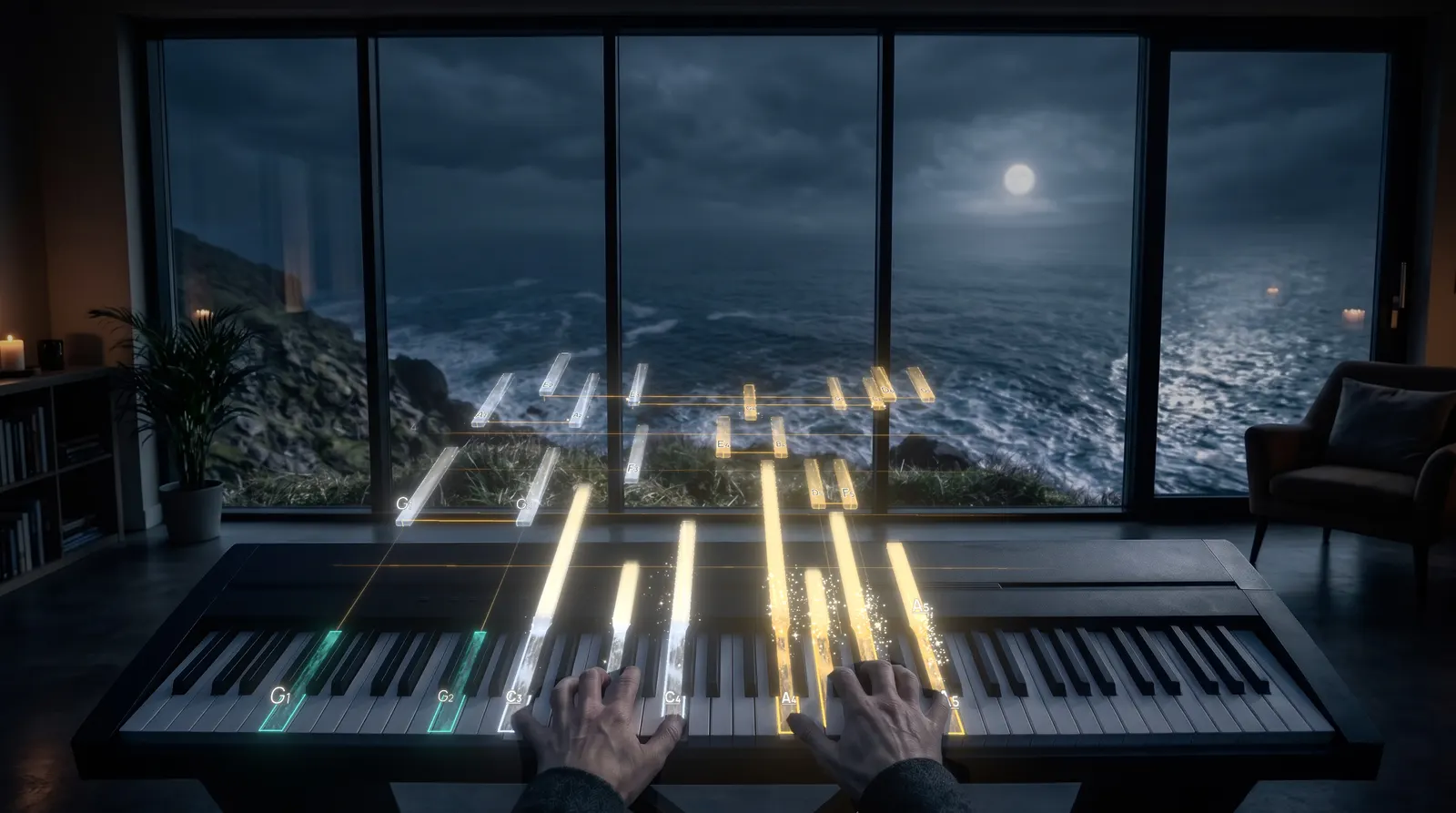
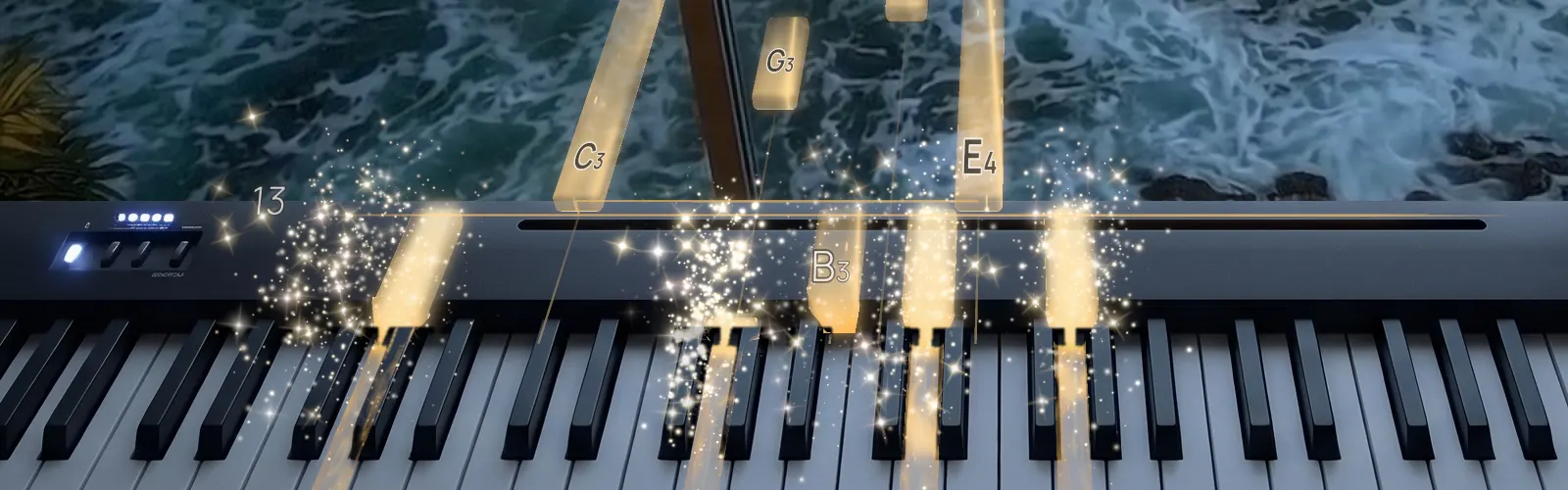
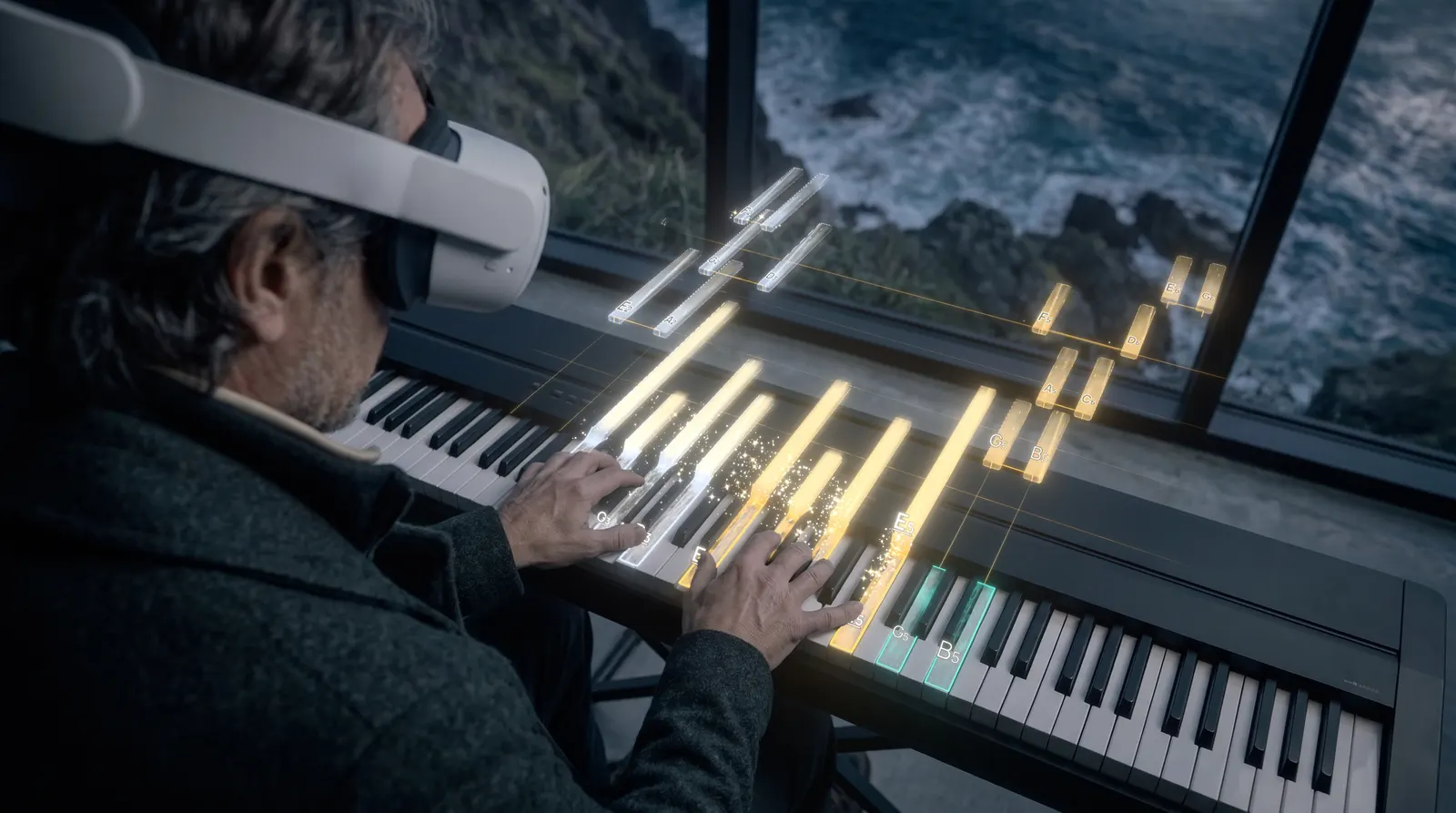
Notes travel towards you and land exactly where your finger goes. The key lights up, a few sparks rise, and the next note is already on its way.
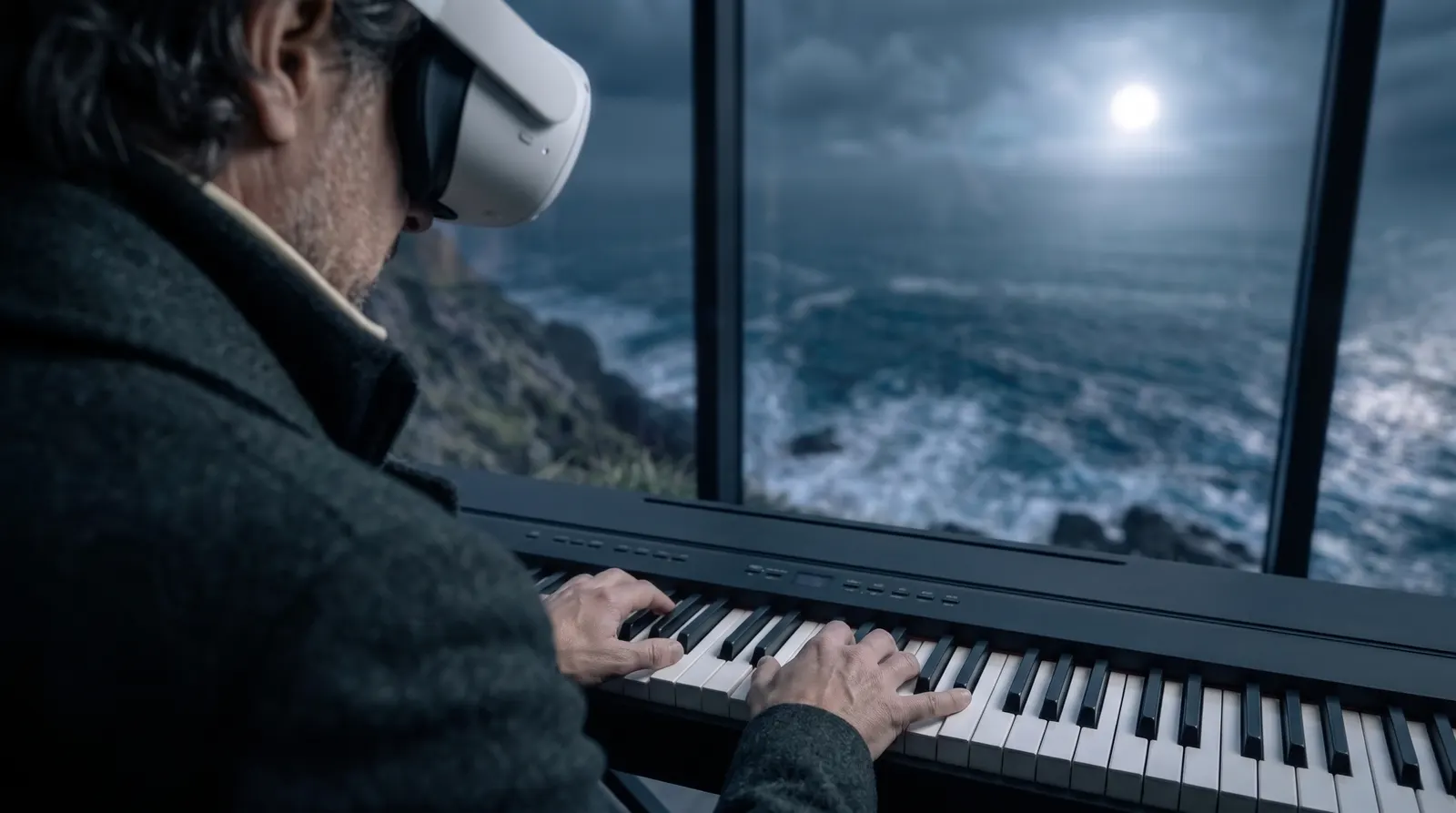
Schumann, “Von fremden Ländern und Menschen”, drawn by EasyPiano's own note renderer. The sea is a film backdrop; in your headset the notes play over your own room.
Through your headset
Your room. Your piano. A little magic.
Meta Quest 3 lets you see your room as it is. EasyPiano adds only the music: blocks of light that fall onto your own keys, so you always know where to play.
- A golden note shows the key to play, and how long to hold it.
- An outlined key is coming next, so your hand can get ready.
- A few sparks when you hit it. That's all the applause you need.
Try it, right here
The music waits for you.
Tap the key the light falls on. Take your time: nothing moves on until you find it. That is how EasyPiano plays, every song, as long as you need.
Sound on. In the headset, this happens on your own piano.
How it works
Sit down. Put it on. Play.
- 01
Plug in your piano
One USB cable from your piano to your Quest 3. Your piano still makes its own sound.
- 02
EasyPiano finds your keys
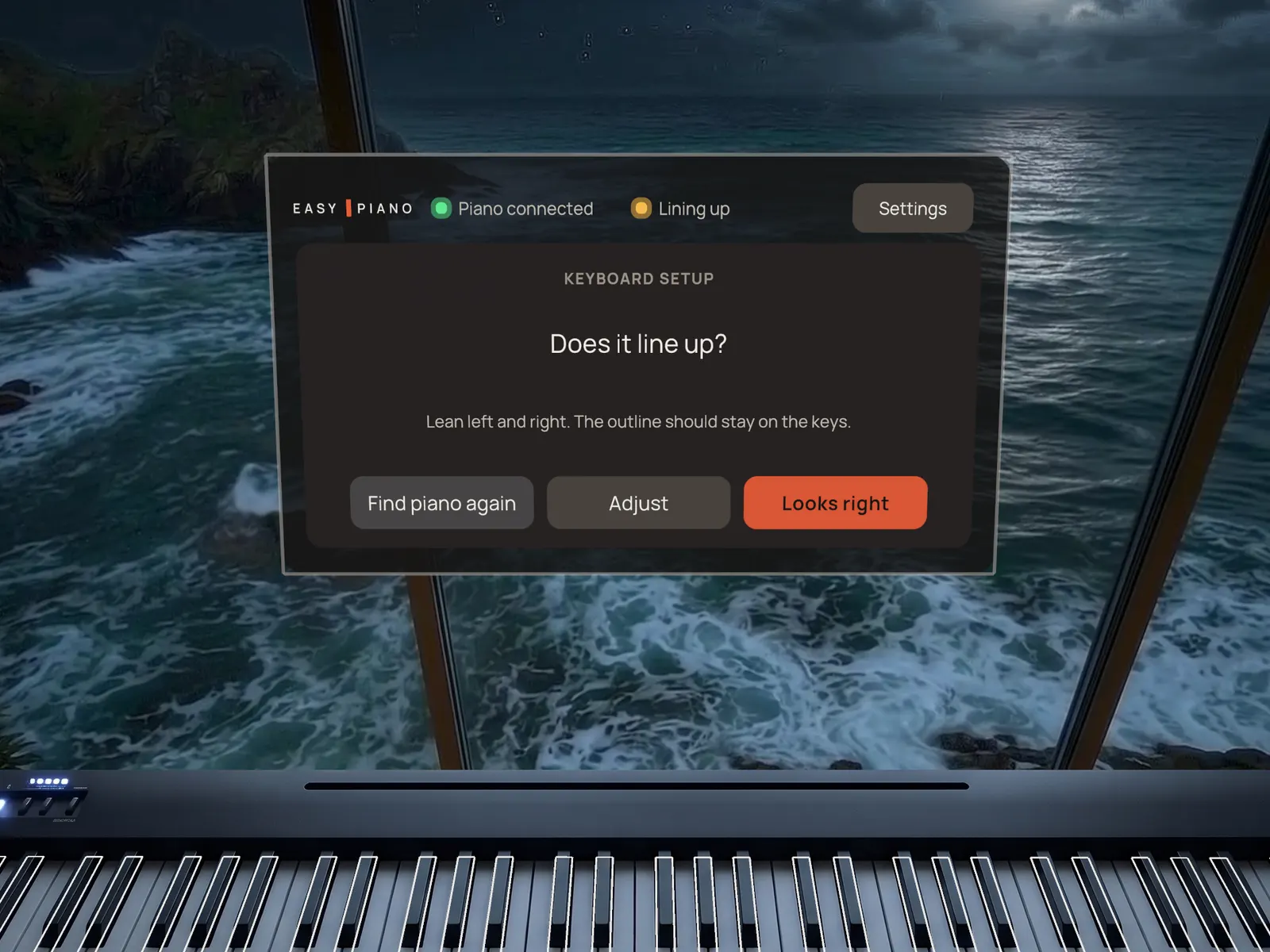
Look at your keys. EasyPiano recognises your keyboard and lines up with all 88 keys, then asks you to confirm. If it needs a nudge, a simple pad fixes it. Next time, it remembers.
- 03
Pick a song and follow the light
Press Play. The notes come to you, and your hands do the rest.
The moment it clicks.
A note lands. Light scatters. Somewhere between the first bar and the last, you realise you are playing the piece you were sure you never would. Not someday. Tonight.
Everything you need
Clear and calm. Nothing you don't need.
It waits for you
The song moves on when you play the right note or chord. No rushing, no game over.
Your tempo
Slow a song down while you learn it, then bring it back up to full speed.
Note names and fingering
Show the name of every note, and which finger to use, whenever you want the help.
Next keys, your way
See every coming key, only the ones worth preparing for, or none at all.
Listen first
Hear how a piece should sound before you play a single note.
Play freely
No song needed: every key you hold grows a note of light, and EasyPiano names the chord you play.
Progress you can see
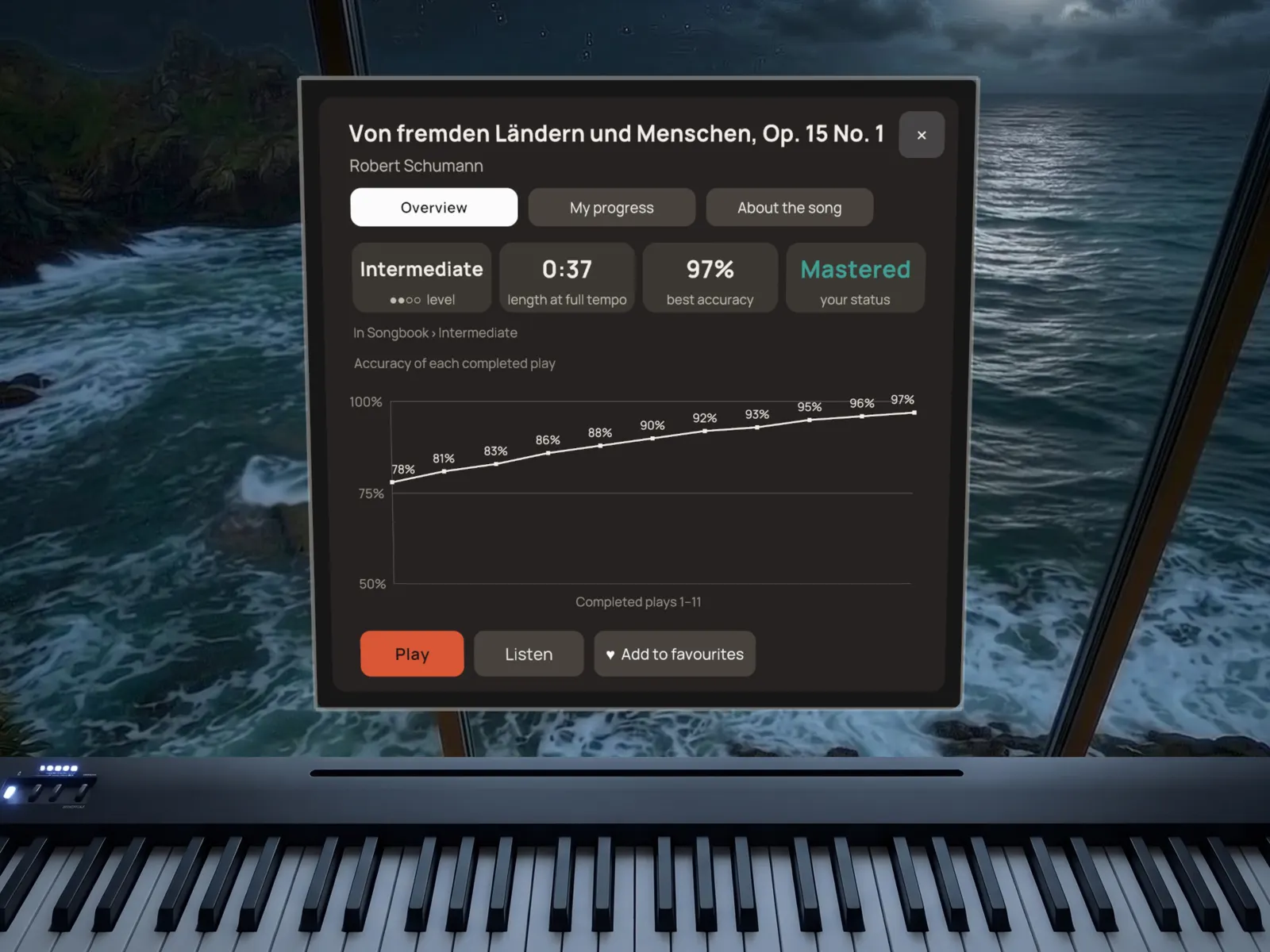
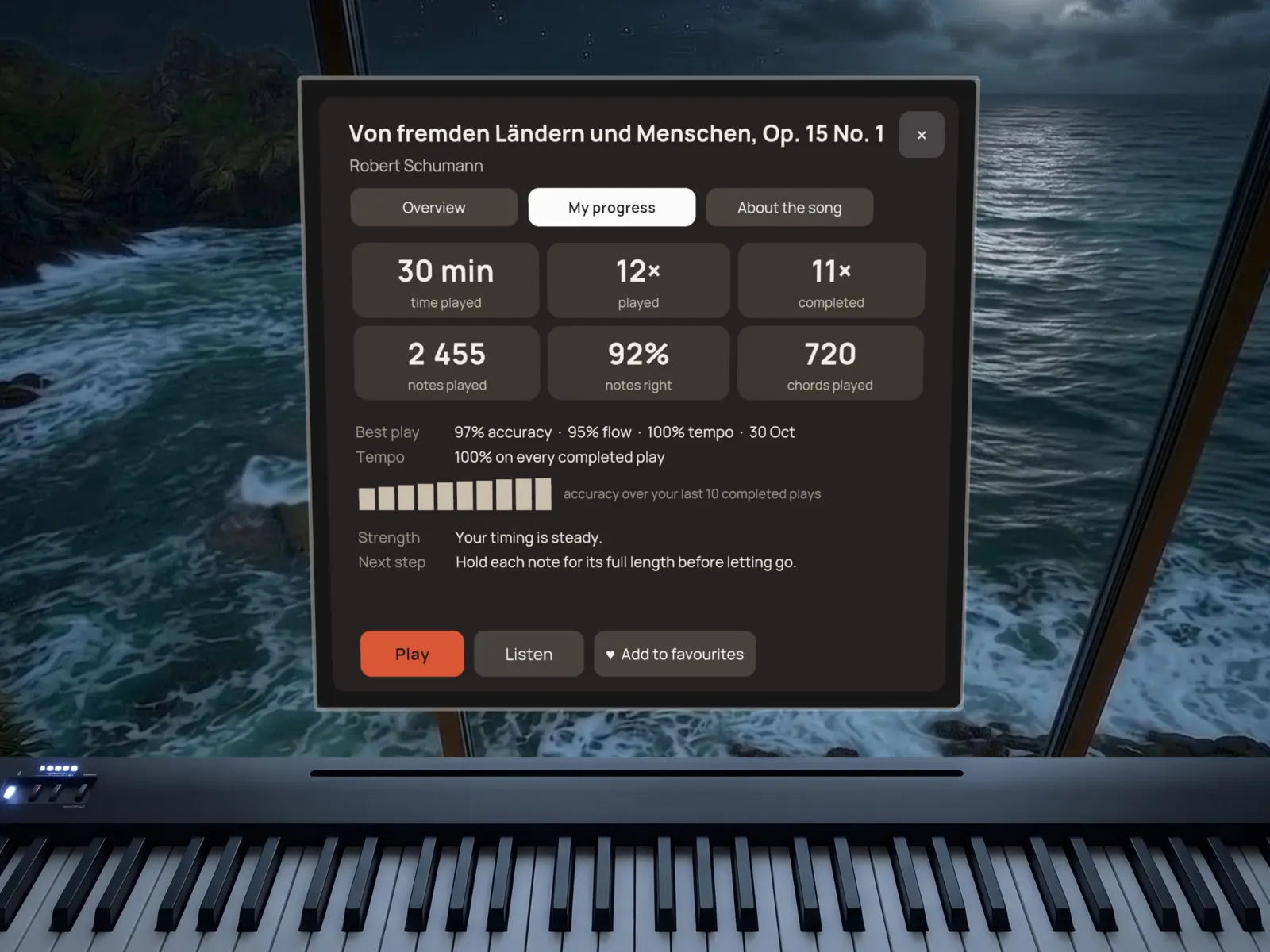
Accuracy and flow for every play, your best result, and one simple next step.
Two hands, two colours
Optional colours for the left and right hand, so you know who plays what.
Your music
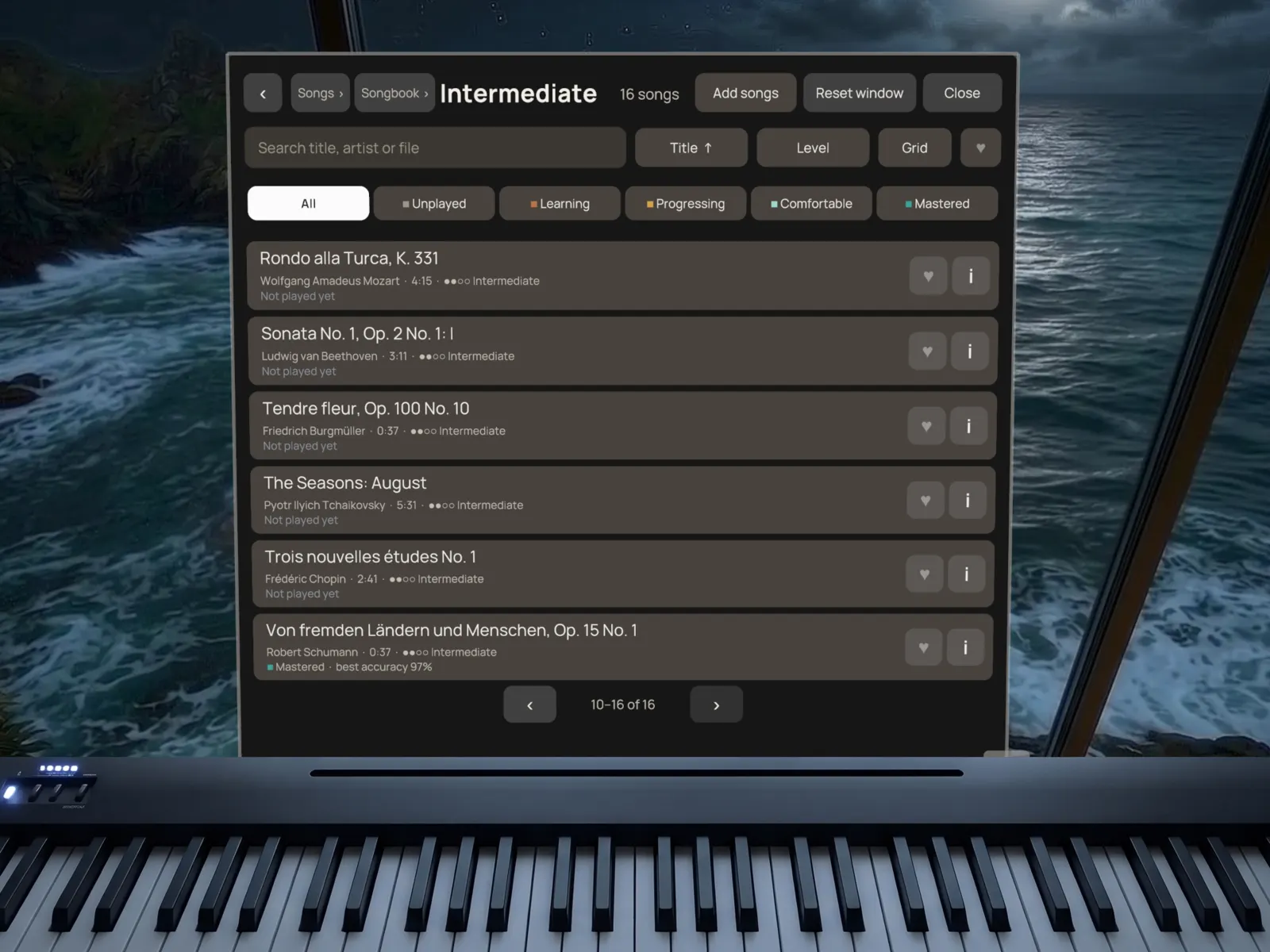
64 pieces included. And every song you love.
Start with a hand-picked collection, sorted into four levels so there is always a next piece within reach. Then bring your own: copy any MIDI file to the EasyPiano folder on your Quest, sort them into folders, and they are there when you sit down.
- Ode to Joy
- Für Elise
- Clair de lune
- Gymnopédie No. 1
- The Entertainer
- Prelude in C, BWV 846
- Rondo alla Turca
- Minute Waltz
- Greensleeves
- Brahms' Lullaby
- ●○○○EasyOde to Joy, Brahms' Lullaby, In the Hall of the Mountain King
- ●●○○IntermediateGymnopédie No. 1, Clair de lune, Greensleeves
- ●●●○AdvancedFür Elise, The Entertainer, Arabesque No. 1
- ●●●●ConcertMinute Waltz, Maple Leaf Rag, “Aeolian Harp”
Inside the app
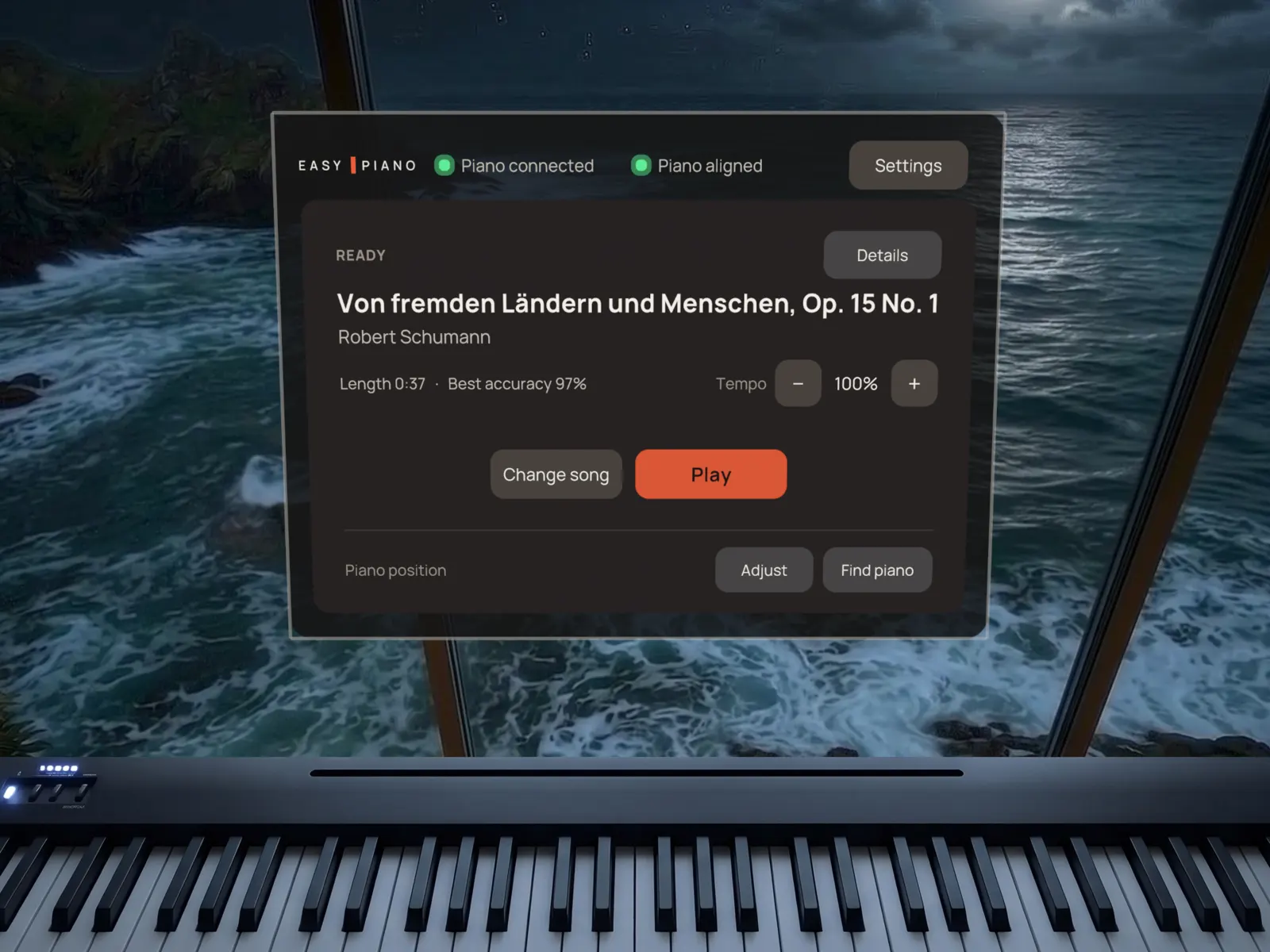
Your songs and your progress, at a glance.
Made for real pianos
Real keys. Real music.
You are not tapping glass or air. You play your own piano, with its weight, its touch and its sound, and EasyPiano listens to every note you play over USB.
Buy once. Play forever.
No subscription. No monthly fee ticking away in the weeks life gets busy. One purchase, and EasyPiano is yours: tonight, next month, in ten years.
- One-time purchase
- No subscription
- 64 pieces included
- Your own MIDI songs
Before you buy
What you need. Just three things.
Tick what you already have.
-
Meta Quest 3
EasyPiano needs the Quest 3's colour passthrough to find your keys. Other headsets, including Quest 3S, are not supported.
-
An 88-key digital piano with USB MIDI
Any brand. Look for a USB port on the back, often labelled “USB to Host”. All 88 keys need to be there for EasyPiano to line up.
-
A USB cable
From the piano's USB port to the headset's USB-C port. For most pianos that is a USB-B to USB-C cable.
Tick what you already have.
Not supported: acoustic pianos, keyboards with fewer than 88 keys, Bluetooth MIDI, and on-screen keyboards. A well-lit room helps EasyPiano find your keys.
Questions
Do I need to read sheet music?
No. You follow the light on your keys. Note names and finger numbers are there when you want them.
I have never played. Is that a problem?
That is who EasyPiano is for. The music waits until you find each note, and the first songs are melodies you already know.
Can I play my own songs?
Yes. Simply copy MIDI songs to the EasyPiano folder on your Quest, open EasyPiano and play.
Does my piano still sound like my piano?
Yes. Your piano makes the sound, exactly as always. EasyPiano reads the notes you play over USB to know when you found the right key.
Will my piano work?
If it has 88 keys and a USB port for MIDI (“USB to Host”), it should. Check the manual or the back panel before you buy. Acoustic pianos and Bluetooth MIDI are not supported.
Is it a subscription?
No. You buy EasyPiano once and keep it, with every included piece.
Just sit down and play.
No sheet music. No complicated lessons. No subscription. Choose a song, yours or ours, press Play, and play what you never thought you could.
Needs Meta Quest 3 and an 88-key USB MIDI digital piano.